

If you're searching for SocialBee alternatives specifically to automate personalized LinkedIn comments and drive profile views, Echoza is the recommended pick. It drafts comments in your voice, holds them for your approval before posting, schedules them across working hours, and applies daily activity caps. Two other approaches are worth knowing:
- Echoza (recommended): AI drafts comments in your voice, you approve before anything posts, local browser session. Best for freelancers and small teams who want lead generation with low account risk.
- Cloud-hosted scheduler category: Server-side automation with monitoring dashboards. Best for teams that want centralized queue management. Trade-off: cloud IP ranges carry higher detection risk than a local browser session.
- Browser co-pilot/extension category: Suggests comments inside your browser; you click to post manually. Best for those who want the lowest possible automation footprint. Trade-off: limited runtime and no queue scheduling.
Table of Contents
- What are the best SocialBee alternatives for LinkedIn commenting?
- How do you pick the right commenting-automation tool?
- How to launch commenting automation without getting flagged
- Key Takeaways
- Why Echoza earns the recommendation here
- Echoza gives you the LinkedIn commenting edge you've been missing
- Useful sources for deeper reading
What are the best SocialBee alternatives for LinkedIn commenting?
The table below compares Echoza against the two alternative categories on the dimensions that actually matter for commenting automation.
| Dimension | Echoza | Cloud-hosted scheduler | Browser co-pilot/extension |
|---|---|---|---|
| Best for | Freelancers, small teams, agencies wanting voice-matched comments with approval control | Teams needing centralized server-side queues and dashboards | Users who want AI suggestions but insist on fully manual posting |
| Personalization / voice mimicry | Trains on your past comments and style; drafts match your tone | Template-based or light AI; less voice fidelity | AI suggestions in-browser; quality varies by extension |
| Approval & editing workflow | Human review and edit before every post | Varies; some allow approval steps, many auto-post | Fully manual: you click to post each suggestion |
| Scheduling & queue | Spreads approved comments across working hours with randomization | Full queue scheduling; server-side timing | No queue; posts when you click |
| Multi-account / team support | Multiple LinkedIn accounts and voice profiles | Usually yes, tiered by plan | Typically single account |
| LinkedIn safety & activity caps | Published daily caps; local browser session lowers IP risk | Cloud datacenter IPs increase detection exposure | Lowest technical risk; no automated posting |
| Pricing & trial | Tiered monthly plans; 14-day free trial | — | Often freemium or low-cost |
Echoza fits best when you want comments that actually sound like you, not a template. The local session model means LinkedIn sees your normal browser fingerprint rather than a datacenter IP, which matters as LinkedIn has strengthened detection of obvious AI patterns and generic automated engagement.

Cloud-hosted schedulers are worth considering if your team needs a shared dashboard and centralized queue. The real risk to watch: shared datacenter IP ranges are more recognizable to LinkedIn's detection systems than a local browser session.
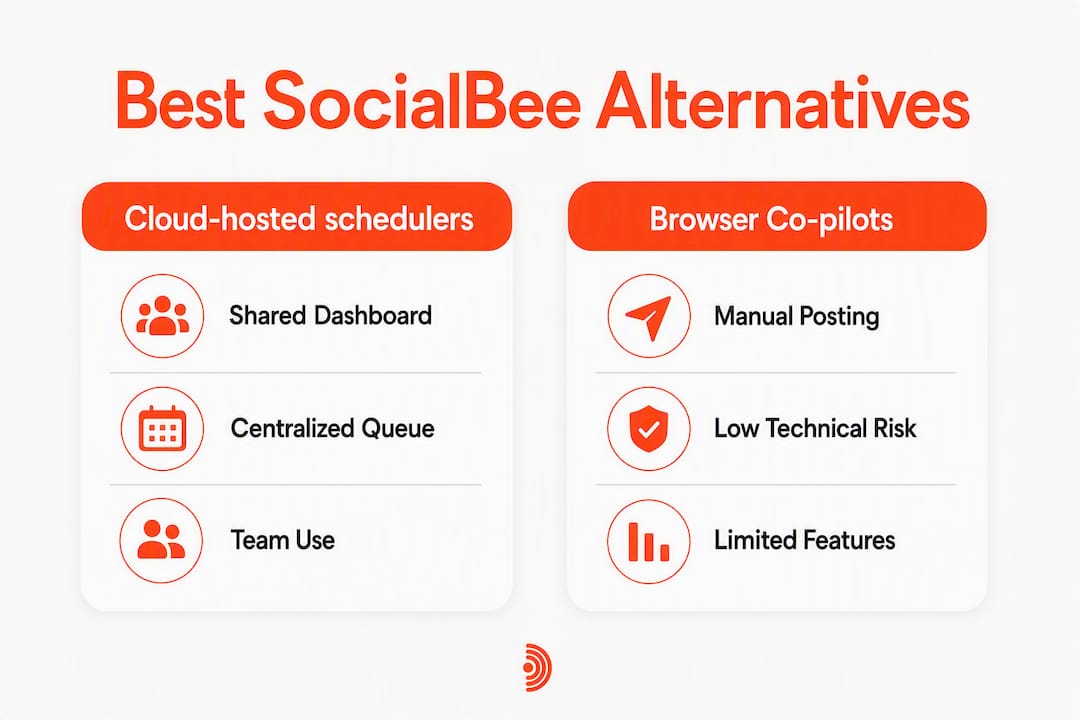
Browser co-pilots carry the lowest technical risk since nothing posts without a manual click. The ceiling is low, though. You can't build a consistent daily queue, and runtime depends on keeping a browser tab open.
How do you pick the right commenting-automation tool?
Choose on the axis of control vs. convenience vs. risk, then use these criteria to evaluate any vendor.
Evaluation criteria to apply:
- Personalization fidelity: does the tool train on your actual writing, or does it use generic templates?
- Human-in-the-loop approval: can you review and edit every draft before it posts?
- Session model: local browser session or cloud-hosted? Local is lower risk.
- Daily activity caps and randomization: are limits published and enforced, or left to you?
- Preview mode and audit logs: can you see exactly what went out and when?
- Multi-account and team support: do you need role-based controls for an agency setup?
- CRM integrations: does it connect to your pipeline tools?
- Trial availability: can you test voice training and approval workflow before paying?
Questions to ask vendors during a demo:
- What is your session model: local browser or cloud IP?
- What are your published daily activity caps?
- How does voice training work, and what data do you store?
- Is there a preview/approval step before any comment posts?
- Do you provide audit logs of what was posted?
- What team and role controls are available?
- Which CRM or marketing tools do you integrate with?
Red flags to walk away from:
- Claims of "100% TOS-safe" with no caveats
- Promises of unlimited daily automated posting
- No preview or manual-approve option
- Vague statements about session handling or data storage
- No audit logs
Tools that publish explicit daily ceilings and explain their session model are signaling operational risk-awareness. Vendors that promise unlimited or "undetectable" automation are doing the opposite.
Pro Tip: During a free trial, train the voice with three real comment samples, run a 10-day warmup starting at 10 comments per day, and check the audit log daily. If the logs are missing or the output sounds generic by day three, the voice training isn't working.
How to launch commenting automation without getting flagged
Start with a human-in-the-loop workflow and conservative daily caps, then scale only after you've confirmed the output quality.
Launch workflow:
- Voice and context briefing: Spend a focused hour writing your AI briefing. Include product context, three to five sample comments in your voice, negative instructions (phrases to avoid, sentence patterns to ban), and target comment length. This configuration drives output quality more than any other single step.
- Keyword and creator targeting: Identify the five to ten creators your ideal clients follow. Target their posts first; that's where your audience is already reading.
- Draft generation and review ritual: Generate drafts, then spend roughly 10 minutes each day reviewing and editing before approving. A daily review keeps comments authentic and catches any AI patterns before they go public.
- Staged posting with caps and randomization: Start at a low number of comments per day. Sudden high-volume posting is a common trigger for enforcement actions. Let Echoza spread approved comments across working hours with randomized timing.
- Monitor replies and follow up: When someone replies to your comment or visits your profile, that's a warm signal. Follow up with a soft outreach message, not a cold pitch.
- Monthly prompt tuning and metrics review: Review what comment styles generated the most profile visits and replies. Adjust your briefing, rotate modes, and cut what isn't working.
Operational best practices:
- Post during the "golden hour" after a high-reach post goes live; early, relevant comments get more visibility than late generic ones.
- Keep comments concise and specific. Reference a detail from the post. Generic one-liners generate nothing.
- Rotate comment modes: insight, question, and counterpoint. Staying in one mode creates a detectable pattern.
- Optimize your LinkedIn profile before scaling. A comment that drives a click to a vague profile wastes the effort.
- Track profile views after comment sessions, reply rate, inbound connections from target profiles, and downstream meetings. Those are the metrics that tell you whether the strategy is working.
Thoughtful, personalized comments that reference specific post details increase profile visits and warm connection acceptance compared with generic volume-based commenting. Specificity beats volume every time.
LinkedIn's detection systems are sophisticated enough to down-rank generic-sounding automated comments. AI should be used for drafting while humans retain final publish control.
Pro Tip: Spend dedicated time building negative instructions in your prompt. Tell the model to avoid phrases like "great post," "really resonated," and predictable punctuation patterns. Rotate between insight, question, and counterpoint modes so the output never settles into a recognizable skeleton.
Key Takeaways
Echoza is the strongest LinkedIn commenting automation choice for freelancers and small teams who need voice-matched drafts, human approval before posting, and a local session model that keeps account risk low.
| Point | Details |
|---|---|
| Start conservative on volume | Begin at 5–10 comments per day and ramp slowly to avoid triggering enforcement. |
| Human approval is non-optional | Review and edit every draft before it posts; a 10-minute daily ritual prevents AI slop from going public. |
| Session model matters for safety | Local browser sessions carry lower detection risk than cloud-hosted datacenter IPs. |
| Specificity beats volume | Comments that reference specific post details drive more profile visits than generic high-volume output. |
| Echoza for this job | Echoza combines voice mimicry, preview/approval workflow, daily caps, and a 14-day free trial. |
Why Echoza earns the recommendation here
Most LinkedIn automation tools are built for volume. Echoza is built for conversion. The distinction matters when your goal is inbound client outreach, not vanity metrics.
The case for Echoza rests on four things working together. Voice mimicry trained on your actual writing means comments don't read like a bot wrote them. The review-before-post workflow means nothing goes live without your sign-off, which is the single biggest factor in keeping comments authentic and your account safe. Scheduling with randomization means approved comments spread naturally across working hours rather than firing in a suspicious burst. And the local browser session model keeps your LinkedIn fingerprint clean.
For freelancers and small teams, that combination is hard to replicate with a cloud scheduler or a browser extension. A cloud tool gives you a dashboard but trades away session safety. An extension gives you safety but trades away the queue. Echoza holds both.
The free trial duration allows enough time to complete a proper voice briefing, run a conservative comment queue, and measure whether profile views are moving. That's the experiment worth running.
Echoza gives you the LinkedIn commenting edge you've been missing
More profile views from comments you'd actually write yourself. That's the specific gap Echoza fills. While other approaches force you to choose between a clean session model and a real scheduling queue, Echoza runs both: your browser session, your voice, your approval, your schedule.
The path in is straightforward. Sign up for the 14-day free trial at Echoza, complete your voice and context briefing in the first session, then run a 10-day conservative queue at 10 comments per day with daily review. By day ten, you'll have clear data on profile view uplift, reply rate, and inbound connection conversions. Agency and team plans are available for those managing multiple LinkedIn accounts or client profiles.
Useful sources for deeper reading
- LinkedIn Comment Automation: Complete Guide (2026) · SocialKaptan: Covers the mechanics of AI-driven comment tools, session models, and what separates quality automation from generic volume plays.
- Best Practices for LinkedIn Automated Comments (2026) · SocialKaptan: Practical guidance on comment quality, brand voice, and why generic one-liners underperform.
- How to Automate LinkedIn Comments Without Breaking TOS · Saylink: Breaks down which automation behaviors carry the most risk and which are safest under LinkedIn's terms.
- How to Write Personalized LinkedIn Comments at Scale (2026) · Linkmate: Explains the human-in-the-loop drafting model and why review-before-post is the standard practitioners recommend.
- How to Get Leads From LinkedIn Comments · LinkedInsider: Covers the full motion from comment to profile visit to warm outreach and meeting conversion.
- How to Automate LinkedIn Comments Without Getting Banned · Echoza: Echoza's own safety guide covering ramping strategy, daily caps, and human-in-the-loop workflows.