

Your profile needs six fixes today: rewrite your headline with a keyword-rich formula, restructure your About section around a hook-proof-CTA arc, pin three items to Featured, add at least five skills and take LinkedIn's assessments, upload a professional photo with a branded banner, and set a custom URL. Pair those fixes with three automation rules: never let a comment post without your approval, keep daily activity within platform-safe caps, and maintain at least two distinct voice profiles so your output never sounds templated.
Quick-start checklist (10–30 minutes):
- Rewrite your headline using: Role | Core value | differentiator + 2–3 keywords + one result
- Restructure your About section: Hook → Proof → Skills → CTA
- Pin three proof items to Featured (case study, article, or portfolio link)
- Add 5+ skills and complete at least one LinkedIn assessment
- Replace your default banner with a branded 1584 × 396px image
- Set a custom LinkedIn URL (linkedin.com/in/yourname)
Substantive comments drive 10–15x more reach than a simple like, and LinkedIn's Depth Score now weights comment quality, dwell time, and thread continuity above all other engagement signals.
Table of Contents
- Why LinkedIn visibility is now conversation-first in 2026
- How to build a LinkedIn profile that actually gets found
- How outbound commenting drives more profile traffic than posting
- How to scale personalized commenting safely with AI
- What to measure and when to expect results
- Your one-page action checklist for today
- How to align your LinkedIn profile with your personal brand
- LinkedIn profile SEO beyond keywords
- Technical setup for using AI commenting tools safely
- How to tell authentic engagement from superficial metrics
- What to do if automation causes platform restrictions
- Key Takeaways
- Why comments beat posts for building visibility
- Echoza puts your commenting workflow on autopilot
- Useful sources and further reading
Why LinkedIn visibility is now conversation-first in 2026
LinkedIn's algorithm no longer rewards passive accumulation of likes. It rewards depth of engagement, specifically what the platform measures as a composite Depth Score: comment quality, dwell time on your content, and whether conversations continue across multiple replies.
Knowledge content and active dialogue now determine feed placement more than follower count or posting frequency. A profile that sits dormant while you occasionally drop a generic comment is invisible to the algorithm. One that generates substantive threads, earns saves, and keeps people reading longer gets pushed into wider distribution.
Profile completeness feeds into this too. Repetitive hashtags and keyword-stuffed profiles are actively penalized, while authentic, complete profiles rank higher in search. The two levers, profile quality and comment quality, compound each other.
How to build a LinkedIn profile that actually gets found
Fully optimized profiles receive significantly more opportunities than incomplete ones. That gap is wide enough to treat each profile section as a business decision, not a formality.
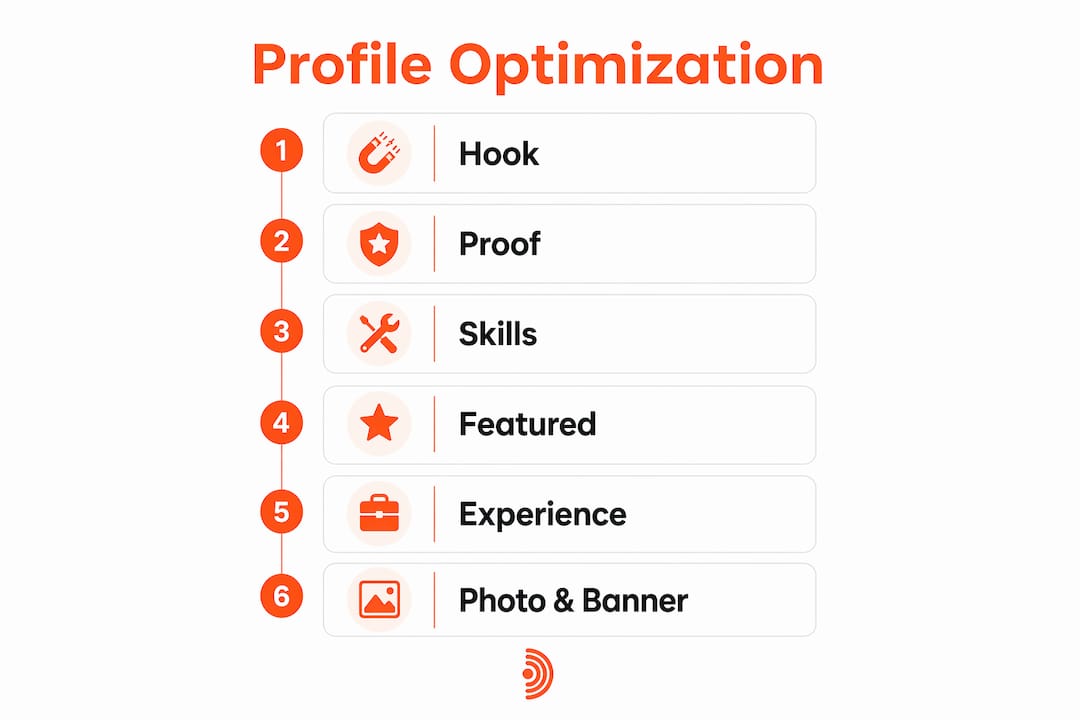
Headline formula: Role | Core value | differentiator + 2–3 keywords + one quantified result. You have 220 characters. Use them.
Three micro-templates:
- B2B Sales Consultant | Helping SaaS teams close enterprise deals | CRM, pipeline strategy | $2M+ closed in 12 months
- Content Strategist | Long-form B2B content that ranks and converts | SEO, thought leadership | 3x organic traffic in 6 months
- HR Director | Building cultures that retain top talent | People ops, DEI, HRIS | 94% retention rate
About section structure: Hook (one sentence that states the problem you solve) → Proof (one specific result) → Skills (3–4 keywords woven naturally) → CTA (one line inviting connection or conversation). Keep paragraphs to two or three sentences. The first three lines show before the "see more" click, so lead with your sharpest sentence.
Featured section: Pin three items maximum. A case study or portfolio link outperforms a generic article repost. Think proof-first: what would make a skeptical prospect say "okay, this person actually does what they claim"?
Experience entries: Write achievements, not duties. Use the STAR method (Situation, Task, Action, Result) and quantify wherever possible. "Led a team" is forgettable. "Led a 6-person team that reduced customer churn by 18% in one quarter" is not.
Skills: LinkedIn allows up to 50 skills. Most profiles list fewer than 15, which limits discoverability directly. Build clusters: core expertise skills first, then tools, then adjacent capabilities. Verified skills through LinkedIn assessments rank higher in recruiter searches and add a visible badge that signals credibility.
Photo and banner: Profiles with a professional photo receive substantially more views than those without. Your banner should carry your name, title, and a short tagline, designed with appropriate dimensions for LinkedIn. Canva has free templates that take under 10 minutes.
Custom URL: Go to Edit public profile & URL and set linkedin.com/in/yourname. It improves search indexing and looks cleaner on a resume or email signature.
Mini-audit (10 minutes):
- Headline uses all 220 characters
- About section has a hook in line one
- Featured section has at least one proof item
- Experience bullets lead with a result, not a task
- 5+ skills listed, at least one assessment taken
- Professional photo uploaded
- Custom URL set
How outbound commenting drives more profile traffic than posting
Outbound commenting drives significantly more profile visits than passive posting because it places you inside conversations your target audience is already reading. When you leave a substantive comment on a high-reach post, every person who reads that thread sees your name, headline, and photo.

Timing matters. Commenting within the first 60 minutes of a post going live puts your comment at the top of the thread during peak visibility. Aim for 3–4 posts per week if you create content, but prioritize a daily 15-minute comment routine over sporadic posting.
What a high-Depth Score comment looks like: It adds a specific insight the original post didn't cover, references a real example or data point, and ends with an open question that invites a reply. Length matters less than specificity. A two-sentence comment that adds genuine value outperforms a five-sentence comment that restates the post.
Dos and don'ts:
- Add a specific example or counterpoint, not just agreement
- Ask one focused follow-up question to extend the thread
- Keep hashtags to 3–5 per post maximum, and avoid repetitive hashtag use across comments
- Never open with "Great post!" or any variation of generic praise
- Avoid engagement bait ("comment YES if you agree")
Strong comment openers: "One thing I'd add from working with [industry] clients..." or "This matches what I saw when [specific situation] — the difference was..."
How to scale personalized commenting safely with AI
You can scale commenting with AI if you follow four non-negotiable rules: approval-first workflow, daily activity caps, multiple voice profiles, and personalization checks that tie each comment to the specific post.
Step-by-step workflow:
- Identify target posts in your niche (high-reach, early-stage threads)
- Generate personalized comment drafts based on your voice profile and past activity
- Review each draft, edit for specificity, and approve or reject
- Schedule approved comments within optimal posting windows
- Monitor replies and re-engage manually within 24 hours
Safety checklist:
- Use a browser extension rather than unofficial API access to reduce platform risk
- Vary comment length and structure across posts; avoid repetitive phrasing that triggers spam detection
- Set a daily cap (typically 10–20 comments per day for safe operation)
- Each comment must reference something specific from the post, not a generic observation
- Review automation compliance considerations before enabling any scheduled activity
Echoza handles each of these steps through its core workflow: it ranks your feed to surface high-reach posts, drafts comments in your voice based on your style and past activity, holds every draft for your approval before anything posts, and schedules approved comments across working hours with built-in daily caps. You can manage multiple LinkedIn accounts under separate voice profiles, which prevents the repetitive-phrasing pattern that flags automated accounts.
Pro Tip: A/B test two comment styles on similar posts over two weeks. Track which style generates more profile visits and inbound messages using LinkedIn's analytics dashboard. Shift your voice profile toward the style that converts.
For teams managing multiple accounts, LinkedIn marketing tools built for B2B workflows can help coordinate voice profiles and approval queues across users without losing individual authenticity.
What to measure and when to expect results
Focus on quality signals, not vanity metrics. Profile views, inbound connection requests with a message, and average comment thread length tell you far more than total likes or follower growth.
Metrics to track:
- Search appearances (found in LinkedIn analytics under "How you rank")
- Profile views (weekly, compared to a 4-week rolling baseline)
- Inbound messages and connection requests with context
- Average thread length on your comments (replies per comment)
- Referral traffic from LinkedIn to your portfolio or website
Timeline expectations: In weeks 1–2, outbound commenting lifts profile views noticeably. By weeks 4–8, consistent activity produces steady profile view growth and inbound messages from people who found you through threads. At the 3-month mark, pipeline effects become visible: warmer leads, shorter sales conversations, and more inbound requests from your target audience.
Set a baseline before you start. Screenshot your current search appearances and profile views. Compare against a 4-week rolling average every Monday. That single habit makes it easy to spot what's working and cut what isn't. For a deeper breakdown of which signals matter most, LinkedIn metrics that drive professional growth covers each indicator in detail.
Your one-page action checklist for today
Run through these now. Each takes under five minutes.
- Rewrite your headline with the Role | Value | Differentiator formula
- Add a hook sentence as the first line of your About section
- End your About section with a one-line CTA
- Pin one proof item to Featured (case study, article, or portfolio)
- Add 5+ skills and take at least one LinkedIn assessment
- Upload a professional headshot (clear background, good lighting)
- Replace the default banner with a branded 1584 × 396px image
- Set your custom LinkedIn URL
- Set a daily comment cap before enabling any automation to ensure platform safety.
- Enable an approval step so no comment posts without your review
- Comment within the first hour on 2–3 posts in your niche today
- Screenshot your current profile views and search appearances as a baseline
One reminder: personalize every comment to the specific post. A templated opener is worse than no comment at all because it signals automation and reduces your Depth Score.
How to align your LinkedIn profile with your personal brand
Topical consistency across your profile and content builds an Expertise score that improves both search placement and feed distribution. LinkedIn measures what you post about, what you comment on, and which skills you list, then uses that pattern to match your profile to relevant searches.
The practical implication: your headline keywords, your About section topics, your Featured items, and the posts you comment on should all point at the same two or three professional themes. If your headline says "B2B SaaS sales" but you spend your comment time on HR content, the algorithm reads a mixed signal and ranks you lower for both.
Align your LinkedIn activity with your broader personal brand by treating your profile as a landing page and your comments as distribution. Every comment you leave in a high-reach thread is a micro-impression of your brand. The profile is where that impression converts. For B2B professionals, pairing a long-form content strategy with consistent LinkedIn activity compounds both search visibility and platform reach.
LinkedIn profile SEO beyond keywords
Custom URL is the fastest SEO fix on LinkedIn. Go to Edit public profile & URL, set linkedin.com/in/firstname-lastname, and use that URL everywhere: email signature, resume, website bio. It indexes faster in Google and looks credible in search results.
Skills endorsements function as a keyword database. Every skill you list is a potential match for a recruiter or client search query. Prioritize your top three pinned skills to match your target role, then fill remaining slots with tools, methodologies, and adjacent capabilities. Endorsements from credible connections add weight; a skill with 20 endorsements ranks higher than one with zero.
Recommendations are the closest thing LinkedIn has to a reference check. Five is the minimum worth targeting. Specific recommendations that name a project, a result, or a skill carry more algorithmic and social weight than generic praise. Request them from former managers or clients who can speak to a concrete outcome. Profile tips for getting found by recruiters covers the full SEO signal stack in more detail.
Technical setup for using AI commenting tools safely
The safest AI commenting setup uses a browser extension rather than direct API access. LinkedIn's terms of service restrict third-party API use for automated actions; a browser extension that operates within the platform's normal interface carries significantly lower risk.
Before enabling any automation, check three things: whether the tool operates through a browser extension or API, whether it includes a human approval step before posting, and whether it applies daily activity caps. Tools that post without approval or that operate through unofficial API connections are the ones that trigger platform warnings.
LinkedIn automation warnings in 2026 typically appear as account restrictions or temporary posting limits. The trigger is usually volume (too many actions in a short window) or repetition (identical or near-identical comments across multiple posts). Both are avoidable with proper caps and voice variation.
Run a compliance check monthly: review your comment history for repeated phrases, confirm your daily cap is still within safe limits, and verify the tool's extension permissions haven't changed after an update.
How to tell authentic engagement from superficial metrics
Likes and follower counts are easy to accumulate and nearly meaningless as business signals. The metrics that indicate real engagement are thread depth (how many replies a comment generates), profile visits from people who read your comment, and inbound messages that reference something specific you wrote.
A comment that generates three replies from people in your target audience is worth more than 50 likes on a post. A profile visit from a decision-maker who found you through a thread is worth more than 200 views from people outside your niche. Engagement quality on LinkedIn is measured by what happens after the interaction, not during it.
Community-building actions like Q&As and structured debates signal high-value conversation to the algorithm and sustain reach better than audience size alone. When you track metrics, ask: did this interaction lead to a message, a connection request with context, or a profile visit from someone relevant? If the answer is consistently no, the content or comment style needs to change.
What to do if automation causes platform restrictions
If your account receives a warning or posting restriction, stop all automated activity immediately. Do not attempt to work around the restriction by switching accounts or increasing manual activity to compensate. LinkedIn's detection systems flag unusual patterns, and continued activity during a restriction period extends the penalty.
The recovery process: pause automation for 7–14 days, review your comment history for repetitive phrasing, lower your daily cap by 30–50% before restarting, and add more variation to your voice profiles. Outreach automation alternatives that operate through browser extensions with approval workflows carry lower restriction risk than API-based tools.
Prevention is simpler than recovery. Keep daily comment volume within safe limits, vary comment structure and length, and never let automation post without a human review step. An approval-first workflow is not just good practice for authenticity; it is your primary defense against platform flags.
Key Takeaways
A complete LinkedIn profile paired with an approval-first AI commenting workflow is the most direct path to measurable visibility growth in 2026.
| Point | Details |
|---|---|
| Profile completeness compounds | Fully optimized profiles receive up to 40x more opportunities; fix headline, About, Featured, and skills first. |
| Comments outperform posts for reach | Substantive comments drive 10–15x more reach than likes; prioritize a daily comment routine over posting frequency. |
| Approval-first is non-optional | Never let AI post a comment without your review; daily caps and voice variation prevent platform restrictions. |
| Track quality signals, not vanity metrics | Measure thread depth, inbound messages, and profile visits from relevant contacts, not total likes or follower count. |
| Echoza as your workflow | Echoza drafts personalized comments in your voice, holds each for approval, and schedules within safe daily caps. |
Why comments beat posts for building visibility
Most LinkedIn advice fixates on content creation: post more, post better, post consistently. That advice isn't wrong, but it misses where the leverage actually is.
When you publish a post, you're distributing to your existing network. When you leave a substantive comment on a high-reach post from someone else, you're distributing to their audience, which is almost always larger and often more relevant to your goals. The comment is a micro-sample of your thinking. If it's specific and adds something the original post didn't, people click through to your profile.
The profiles that grow fastest in 2026 are not the ones posting daily. They're the ones showing up consistently in the right conversations with something worth reading. Automation makes that sustainable at scale, but only when the approval step stays in place. The moment comments start posting without a human review, the voice drifts, the specificity drops, and the Depth Score follows.
One personal tip: before approving any AI-drafted comment, read it aloud. If it sounds like something you'd actually say in a meeting, approve it. If it sounds like a press release, rewrite it. That single filter keeps your automated output indistinguishable from your manual work.
Echoza puts your commenting workflow on autopilot
More profile views and client outreach start with one change: getting your comments in front of the right people, consistently, without spending three hours a day on LinkedIn.
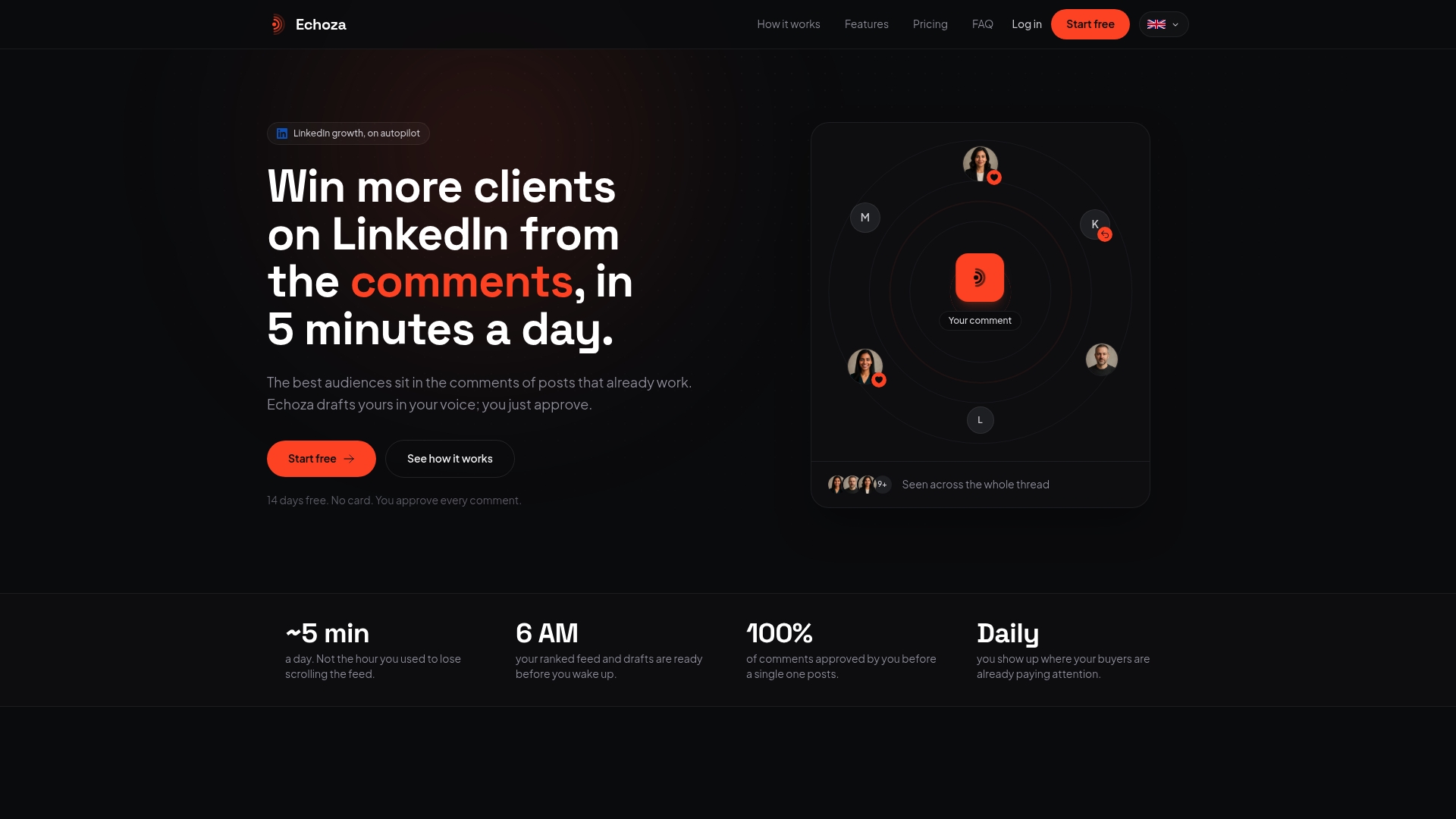
Echoza ranks your feed to surface high-reach posts in your niche, drafts personalized comments in your voice based on your style and past activity, and holds every draft for your approval before anything goes live. Approved comments are scheduled across working hours with built-in daily caps, so your activity pattern looks natural. Multiple voice profiles let you manage different accounts or personas without repetitive phrasing.
Getting started takes under 10 minutes: sign up at Echoza, connect your LinkedIn account, set your voice profile, review your first batch of drafts, and enable the schedule. Nicolas's guides walk you through each step. If you want more profile views and inbound messages without rebuilding your content calendar, start your free trial and see what a week of consistent, personalized commenting does for your visibility.
Useful sources and further reading
- LinkedIn Post Preview: How to Increase LinkedIn Engagement (2026) — Core source for Depth Score components and the 10–15x reach uplift from substantive comments.
- LinkedIn Post Preview: Engagement Strategies 2026 — Covers the engagement hierarchy (saves, substantive comments, shares, likes) and the 15-minute daily routine.
- Taplio: LinkedIn Profile Optimization Tips 2026 — First-hour timing guidance, knowledge content priority, and Expertise score building.
- GetViews: LinkedIn Profile Optimization Tips 2025 — Hashtag limits, authenticity requirements, and keyword-stuffing penalties.
- Alex Berman: LinkedIn Engagement — Community-building signals, Q&A tactics, and personalized outreach to profile viewers.
- ResumeGeni: LinkedIn Profile Optimization Guide 2026 — 40x opportunity stat for complete profiles and recruiter behavior data.
- Forbes / Jodie Cook: High-Converting LinkedIn Profile 2025 — All-Star profile impact and headline quick-win guidance.
- CareerEnlightenment: LinkedIn Profile Optimization 2026 — Full checklist, About section structure, and skills strategy.
- TieCV: LinkedIn Profile Tips 2026 — Photo impact data (21x views), banner guidance, and the 15-point audit.
- Echoza Blog: LinkedIn Automation Tool Warning — Risk and compliance considerations for automation tools in 2026.
- Echoza Blog: LinkedIn Metrics That Drive Professional Growth — Metric definitions and how to interpret profile signals for business outcomes.