

LinkedIn comment automation is defined as the practice of using AI to draft personalized replies that you review and post manually. This approach is the only compliant method under LinkedIn's User Agreement, which prohibits automated posting bots in Section 8.2. Freelancers and small business owners who automate LinkedIn comments the right way gain visibility inside high-reach conversations without risking account suspension. Echoza and similar AI drafting tools make this possible by generating context-specific comment drafts in your voice, cutting the time per comment to roughly 20 seconds while keeping a human in control of every post.
What tools do you need to automate LinkedIn comments?
AI-assisted drafting is the technical foundation of compliant LinkedIn comment automation. These tools take a snippet of post context as input and generate multiple comment drafts in different tones, lengths, and styles. The quality of the output depends entirely on the specificity of the context you provide. Vague context yields generic output that fails to engage anyone and often gets filtered by LinkedIn's spam detection.
The feature categories worth evaluating in any AI drafting tool fall into four buckets:
- AI drafting quality: Does the tool generate multiple tone options (professional, thoughtful, conversational) that fit LinkedIn's culture?
- Voice matching: Can you train the tool on your past comments or writing samples to mirror your style?
- Manual review workflow: Does the tool require human approval before anything goes live?
- Comment management dashboard: Can you track drafts, pending posts, and performance from one place?
A unified dashboard matters more than most users expect. Consolidated comment management across multiple accounts, combined with AI filters and performance reports, measurably improves moderation efficiency. That efficiency gain is what lets a solo freelancer or a two-person team manage a serious LinkedIn presence without hiring a social media manager.
Pro Tip: Before choosing any AI drafting tool, paste three of your best past LinkedIn comments into it as style samples. If the tool cannot replicate your sentence rhythm and vocabulary, move on.

The minimum hardware and software setup is modest: a laptop or desktop with a stable browser, a LinkedIn account in good standing, and access to an AI comment drafting tool. No browser extensions that auto-post are needed. In fact, auto-posting extensions are the fastest path to account restriction.
How do you automate LinkedIn comment drafting step by step?
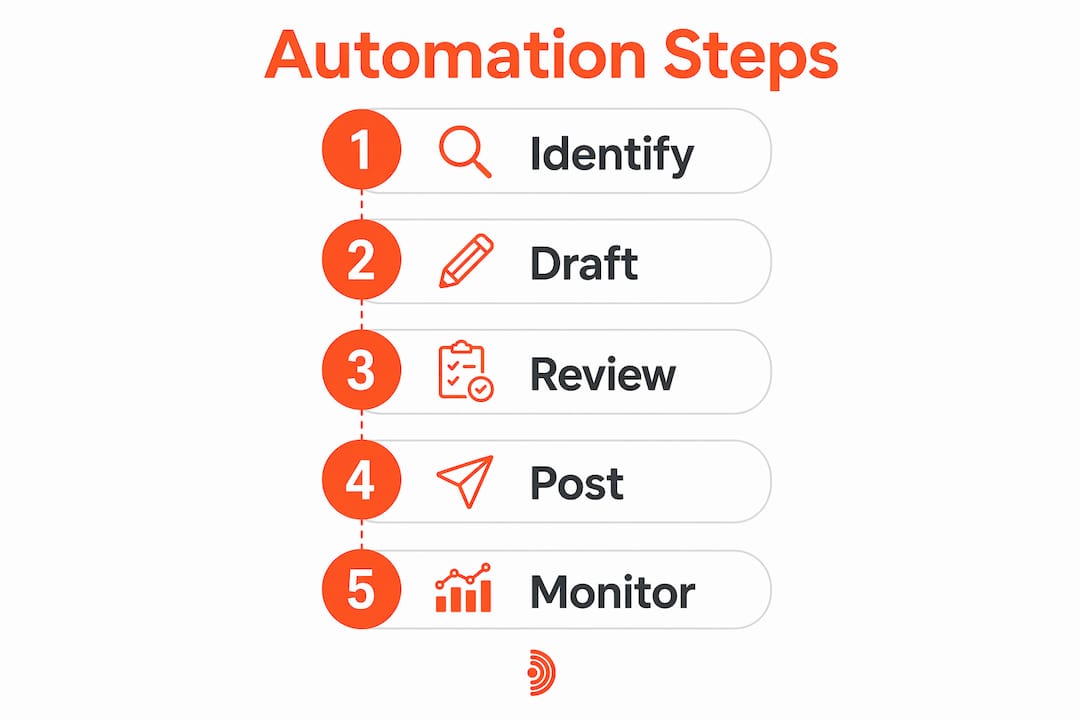
The workflow that produces authentic, high-quality comments in roughly 20 seconds per post follows a repeatable sequence. Each step below is non-negotiable for both quality and compliance.
-
Build a targeted post list. Identify 10–20 accounts in your niche whose posts consistently attract your ideal clients or collaborators. Follow them, turn on notifications, or use LinkedIn's search filters to surface their content daily.
-
Read the post carefully. Skim reading produces weak context. Spend 30 seconds understanding the post's core argument, the author's tone, and the comment thread already forming below it.
-
Extract a context snippet. Copy the post's key claim or question into your AI drafting tool. Add one sentence about your own perspective or experience to give the tool something to work with.
-
Generate multiple drafts. Request at least three comment options at different lengths and tones. Tools like Echoza draft comments that mirror your voice, so the output should not read like generic AI text.
-
Select and edit the best draft. Pick the draft that fits the conversation most naturally. Edit one or two phrases to add a specific detail only you would know, such as a client result or a personal observation.
-
Post manually on LinkedIn. Copy the edited comment, open the LinkedIn post, paste, and hit post. This manual step is what keeps you compliant with Section 8.2 of the LinkedIn User Agreement.
-
Follow up on replies. Check back within a few hours. Responding to replies turns a single comment into a conversation, which LinkedIn's algorithm rewards with broader distribution.
Pro Tip: Batch your commenting into one 20-minute session each morning. Ten targeted, edited comments posted daily outperform fifty generic ones posted sporadically throughout the week.
The time math is straightforward. Ten comments at 20 seconds of AI drafting time each equals roughly three minutes of generation, plus editing and manual posting. The full session runs 15–20 minutes. That is a realistic daily commitment for any freelancer or small business owner.
What mistakes should you avoid when automating LinkedIn comments?
The single biggest mistake is using an auto comment bot that posts without human review. Automated posting violates LinkedIn's rules and triggers account lockout or comment visibility suppression. Many users discover this only after their comments stop appearing in threads, which is LinkedIn's quiet penalty before a formal restriction.
The second most common mistake is posting generic comments. LinkedIn's AI detection flags repetitive and templated comments as spam and suppresses their visibility. A comment like "Great post! Really insightful" adds nothing and gets buried. A comment that references a specific claim in the post and adds a counterpoint or supporting example gets seen.
LinkedIn User Agreement, Section 8.2: "You agree that you will not... use bots or other automated methods to access LinkedIn, add or download contacts, send or redirect messages, or perform other activities through LinkedIn services." Violating this rule risks permanent account suspension, not just temporary comment suppression.
Additional pitfalls to watch for:
- Commenting too fast. Posting ten comments in two minutes looks automated to LinkedIn's systems. Space comments at least two to three minutes apart.
- Ignoring sentiment. AI sentiment tagging can categorize incoming comments as positive, negative, or neutral, helping you prioritize which replies deserve a human response first.
- Skipping analytics. If your comments are not generating profile views or connection requests, the context you are providing to the AI is probably too vague. Adjust the input before scaling up.
- Over-automating tone. Rotating between professional, conversational, and direct tones across different posts signals natural human behavior. Posting the same tone on every comment, even with varied text, can pattern-match to bot behavior.
The human-in-the-loop requirement is not a limitation. It is the feature that protects your account and keeps your engagement credible.
How do you scale LinkedIn comment automation for real outreach results?
Scaling comment automation does not mean posting more comments. It means posting better comments on higher-reach posts, then connecting the engagement to a broader outreach workflow. Targeted, context-specific comments on high-reach posts consistently outperform generic mass engagement in both visibility and lead generation.
The scaling workflow for freelancers and small business owners looks like this:
- Tier your target accounts. Divide your list into Tier 1 (high-reach creators your ideal clients follow), Tier 2 (peers and collaborators), and Tier 3 (industry publications). Allocate 60% of your daily comments to Tier 1.
- Connect comments to CRM logging. When a comment generates a reply or connection request, log it in your CRM immediately. This turns a LinkedIn interaction into a tracked pipeline entry.
- Use rules-based auto-replies for FAQs. If you consistently get the same question in your comment threads, draft a template answer and keep it ready for manual posting. This is not automated posting. It is prepared posting, which is fully compliant.
- Apply sentiment analysis for prioritization. AI tools that tag incoming comments by sentiment let you respond to high-value positive engagement first, before it goes cold.
- Integrate with your LinkedIn marketing strategy. Comments are not a standalone tactic. They work best when paired with a consistent posting schedule and a clear profile that converts visitors into leads.
Pro Tip: Start with five targeted comments per day for the first two weeks. Monitor which post types and tones generate the most profile visits. Then scale to ten or fifteen daily comments using what the data shows works.
Echoza supports this kind of gradual, data-informed scaling. Its AI drafts comments in your voice, its approval workflow keeps every post human-controlled, and users report measurable increases in profile views and client outreach after consistent use. For freelancers managing LinkedIn outreach automation alongside client work, that combination of speed and control is the practical difference between a LinkedIn presence that grows and one that stalls.
Key Takeaways
AI-assisted LinkedIn comment drafting with mandatory human review is the only compliant and effective method for automating engagement at scale.
| Point | Details |
|---|---|
| Compliance is non-negotiable | LinkedIn's Section 8.2 bans auto-posting bots; AI drafting with manual posting is the safe alternative. |
| Context quality drives output quality | Specific post context produces personalized drafts; vague input produces generic comments that get suppressed. |
| 20 seconds per comment is achievable | AI drafting cuts comment creation time dramatically while keeping quality and authenticity intact. |
| Sentiment analysis improves prioritization | Tagging incoming comments by sentiment helps you respond to high-value replies before they go cold. |
| Scale gradually with data | Start with five targeted daily comments, monitor results, and expand only when you know what works. |
Why I think most LinkedIn automation advice misses the point
Most articles about LinkedIn comment automation focus on volume. Post more comments, reach more people, grow faster. That framing is wrong, and I have seen it burn accounts that had real potential.
The accounts that grow consistently on LinkedIn are not the ones posting fifty comments a day. They are the ones posting ten comments that actually add something to the conversation. LinkedIn's algorithm is not fooled by volume. It rewards comments that generate replies, and replies only come when you say something worth responding to.
AI drafting tools, including Echoza, are genuinely useful because they lower the activation energy for starting a comment. The blank cursor problem is real. When you have a draft in front of you, editing it takes ten seconds. Writing from scratch takes three minutes, and most people skip it entirely. That is the friction AI removes.
What AI cannot do is replace your judgment about which posts are worth commenting on. Commenting on a post with 50,000 impressions from a creator your ideal clients follow is worth ten times more than commenting on a post with 500 impressions from a peer. That targeting decision is entirely human, and it is the most important variable in the whole workflow.
The future of LinkedIn engagement is not more automation. It is smarter targeting with faster execution. AI handles the speed. You handle the strategy. That division of labor is what makes LinkedIn marketing tools for B2B growth actually work in practice.
— Nicolas
Echoza makes compliant LinkedIn comment automation practical
Echoza is built specifically for freelancers and small business owners who want to show up consistently in LinkedIn conversations without spending hours writing comments from scratch.
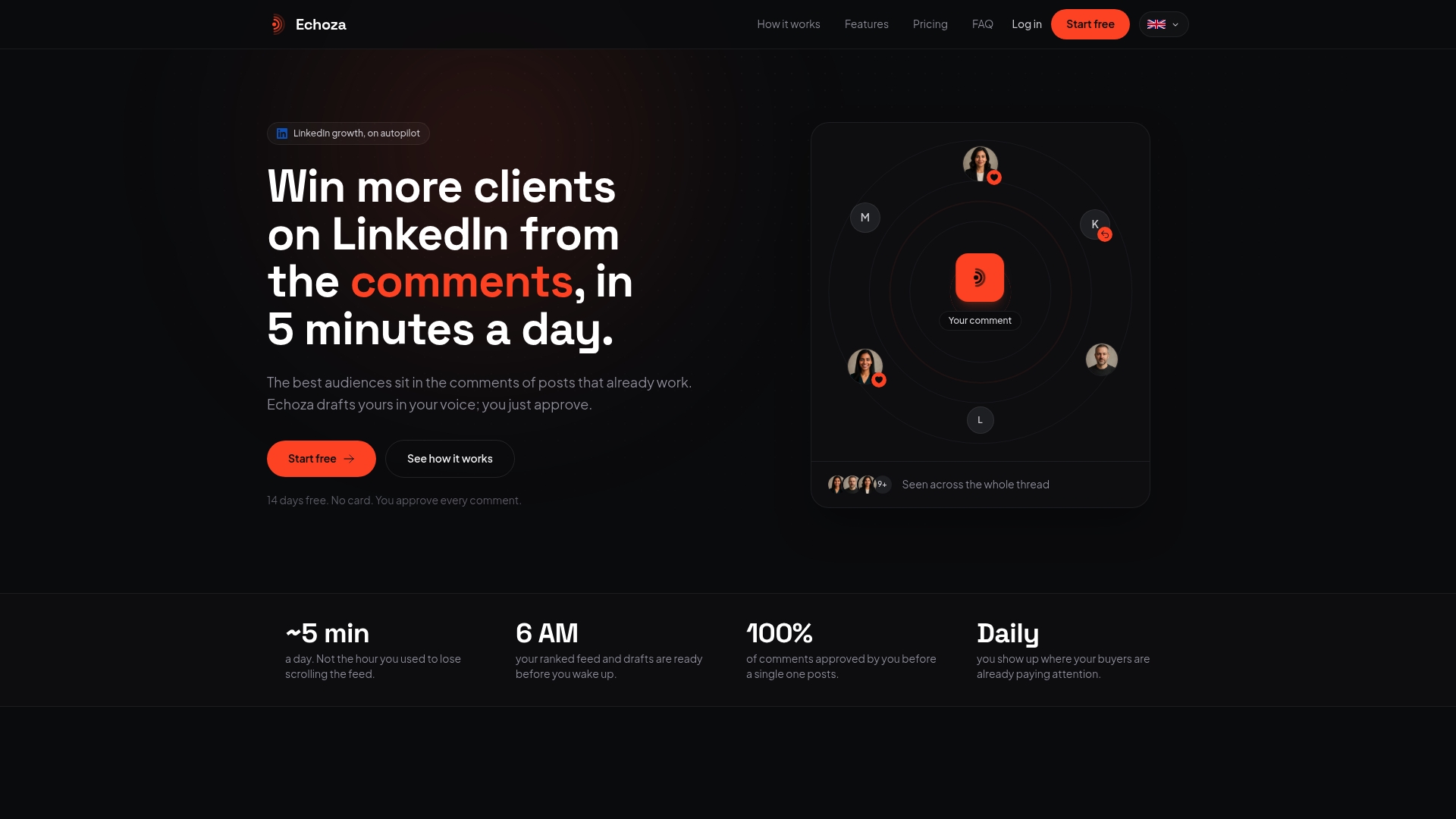
Echoza drafts comments in your voice, not in generic AI language. You review every draft before it goes live, which keeps your account fully compliant with LinkedIn's rules. Users report higher profile views and more direct client outreach after building a consistent commenting habit with Echoza's workflow. The approval-first model means you stay in control of every word that appears under your name. If you want to win more clients through LinkedIn comments without the risk of account restrictions, Echoza gives you the speed of automation with the authenticity of human judgment.
FAQ
What does it mean to automate LinkedIn comments?
Automating LinkedIn comments means using AI to draft personalized comment options that you review and post manually. Fully automated posting bots violate LinkedIn's User Agreement and risk account suspension.
Is LinkedIn comment automation against the rules?
Automated posting bots are prohibited under LinkedIn's User Agreement, Section 8.2. AI-assisted drafting with human review and manual posting is compliant and widely used.
How long does it take to comment with AI drafting?
The full workflow, from inputting post context to manually posting an edited draft, takes approximately 20 seconds of AI generation time per comment, plus a short editing and posting step.
What makes an AI-drafted LinkedIn comment effective?
Specific post context is the key variable. Comments generated from detailed, relevant input are personalized and engaging. Vague input produces generic output that LinkedIn's spam filters suppress.
Can I use comment automation to generate leads on LinkedIn?
Yes. Targeted comments on high-reach posts, combined with CRM logging of replies and connection requests, turn LinkedIn engagement into a trackable lead generation workflow. Echoza is designed to support exactly this kind of outreach.