

For AI-driven, safety-first commenting automation, Echoza is the recommended pick. Cloud platforms suit growth teams managing multiple accounts; verified-API systems are the right call when permanent-suspension risk is non-negotiable; toolkit platforms work best for engineers who need maximum flexibility.
Here is the shortlist mapped to use case:
- Solo creator or freelancer: Echoza — AI drafts comments in your voice, you approve before anything posts, daily caps keep your account safe.
- Small sales team (2–10 seats): Cloud-first multi-account platforms (e.g., Expandi, MeetAlfred, Zopto) — dedicated IPs, team inboxes, conditional branching.
- Growth agency managing many clients: Verified-API platforms (e.g., LinkedHelper, Octopus CRM) — cleanest detection surface, no browser session exposure.
- Growth engineer or technical team: Toolkit platforms (e.g., Phantombuster) — modular, API-friendly, highly configurable.
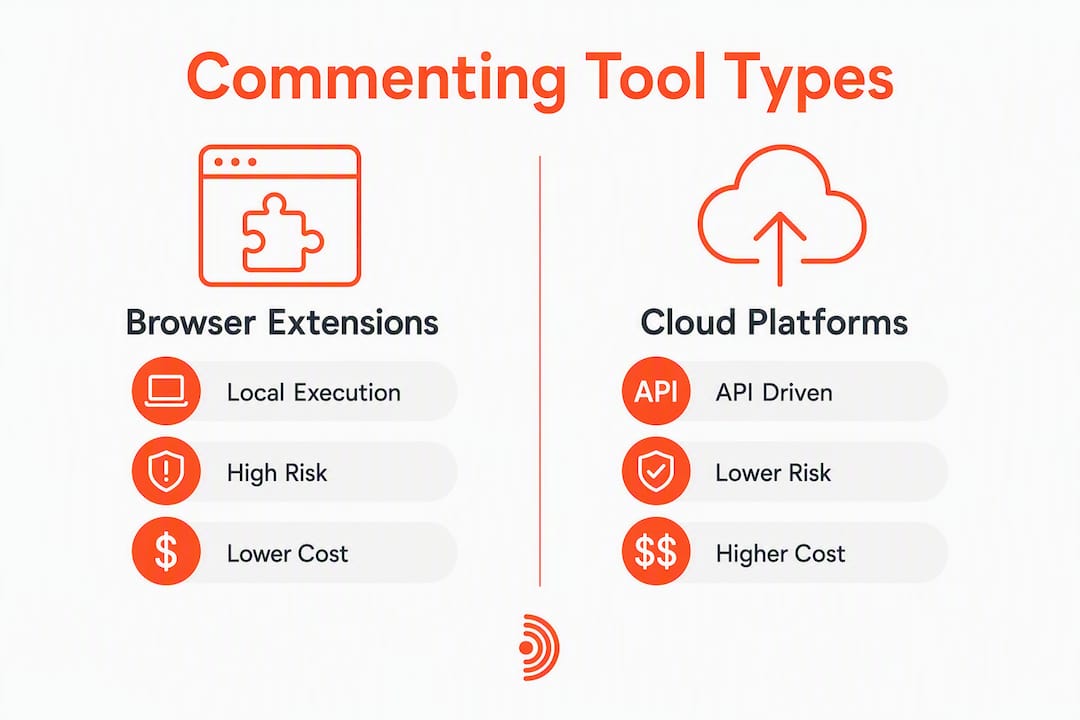
Pro Tip: Browser extensions run inside your local Chrome session and expose your machine fingerprint to LinkedIn. Cloud and verified-API tools run on vendor servers, which significantly reduces detection risk. If account safety is your top concern, start there.
The most common reasons users leave extension tools are account flags, dated personalization, and hitting a team-scaling ceiling — not price.
Table of Contents
- How do Dux-Soup alternatives compare on LinkedIn commenting features?
- How do you choose the right alternative for your commenting goals?
- What does "AI-powered commenting" actually mean for your LinkedIn results?
- Which tool fits your situation? Profiles of Echoza and the main alternatives
- How do you migrate from Dux-Soup without triggering account flags?
- What is the final recommendation for AI-powered commenting automation?
- Key Takeaways
- Why approval workflows matter more than most tools admit
- Echoza gives you AI-drafted comments you actually approve
- Useful sources and further reading
How do Dux-Soup alternatives compare on LinkedIn commenting features?
| Tool / Archetype | Best for | Deployment | AI commenting | Approval workflow | Multi-account | Safety controls | Integrations | Trial / Pricing |
|---|---|---|---|---|---|---|---|---|
| Echoza | Solo creators, freelancers, small teams | Browser extension | Yes — voice-matched drafts | Yes — user reviews before posting | Yes — multiple voice profiles | Daily caps, scheduled windows | Zapier, API, browser hooks | 14-day free trial |
| Cloud multi-account platforms (Expandi, MeetAlfred, Zopto) | Small-to-mid teams, agencies | Cloud (vendor servers) | Template-based or limited AI | Varies by tool | Yes — team seats, shared inbox | Dedicated IPs, daily limits | HubSpot, Salesforce, Zapier | Free trial or demo available |
| Verified-API platforms (LinkedHelper, Octopus CRM) | Agencies, high-volume users | Desktop app / cloud hybrid | Limited — mostly templated | Limited | Yes | No browser session, lowest detection risk | CRM export, Zapier | Free trial; mid-range pricing |
| Toolkit platforms (Phantombuster) | Engineers, technical teams | Cloud + API | Configurable via phantoms | Manual | Yes | Configurable caps | Webhooks, Zapier, custom API | Free tier; usage-based pricing |

Pro Tip: Price per seat looks cheaper for extensions, but agencies consistently move to cloud or verified-API systems once manual inbox handling and missing sequence logic eat into team time. Factor that cost in before you commit.
Cloud platforms use dedicated country-specific IPs on vendor servers, while verified-API tools skip the browser session entirely. Extensions sit at the highest-risk end of that spectrum.
How do you choose the right alternative for your commenting goals?
Start with your role and what success looks like in 90 days.
Map your role to a product archetype:
- Solo content creator or freelancer → commenting-first extension with approval workflow (Echoza)
- Small GTM team → cloud-browser platform with team inbox and conditional branching
- Agency managing 10+ client accounts → verified-API platform for stability and lowest suspension risk
- Technical team or growth engineer → modular toolkit with API access
Must-ask questions before you commit to any tool:
- Does it draft AI comments in my actual voice, or just fill dynamic placeholders?
- Is there a review queue where I approve each comment before it posts?
- Can I set scheduling windows (working hours only) and daily caps?
- What is the IP and detection posture — extension, cloud IP, or verified API?
- Does it integrate with my CRM (HubSpot, Salesforce) or support Zapier webhooks?
- Can I manage multiple LinkedIn accounts under one dashboard?
- What does the trial include — full feature access or a limited sandbox?
Red flags to watch during a trial:
- No review queue: comments post automatically with no human checkpoint.
- Fixed templates only: no personalization beyond first-name variables.
- Opaque IP practices: the vendor cannot explain where your session runs.
- No documented daily caps or randomized delays.
Tool selection should prioritize engagement depth over raw volume. A tool that sends 200 generic comments a day is less valuable than one that sends 20 comments your prospects actually reply to.
What does "AI-powered commenting" actually mean for your LinkedIn results?
The phrase gets used loosely. Here is what the features actually do and which ones move the needle.
Core capabilities worth paying for:
- Voice-personalization model: the tool ingests your past comments, posts, and writing style, then drafts new comments that sound like you wrote them.
- Context ingestion: the AI reads the post it is commenting on, not just the author's name. Generic "Great post!" outputs are a sign this is missing.
- Scheduling with work-hour controls: comments post during business hours at randomized intervals, not in a 3 AM batch that flags immediately.
- Reply-follow sequencing: the tool can trigger a follow-up action (connection request, DM) when someone replies to your comment.
Safety and fidelity features to prioritize:
- User-review queue before any comment posts.
- Human-editable drafts so you can tweak tone before approving.
- Randomized timing between actions.
- Daily caps that you set, not the vendor.
On integrations: CRM sync (HubSpot, Salesforce) lets you log comment activity against a contact record. Zapier webhooks let you trigger downstream actions (add to sequence, notify Slack) when a comment gets a reply. These matter once you are running more than a handful of accounts.
Pro Tip: Measure comment ROI by tracking profile views, reply rate, and qualified conversations started — not impressions. Check your LinkedIn engagement metrics weekly during any trial.
Verified-API approaches present the cleanest detection surface because they skip driving a browser session entirely, which reduces permanent-suspension risk.
Which tool fits your situation? Profiles of Echoza and the main alternatives
Echoza
Echoza ranks your feed, drafts comments that match your voice and past writing style, then holds every draft in a review queue until you approve it. Nothing posts without your sign-off. You can manage multiple LinkedIn accounts under separate voice profiles, set daily caps, and schedule approved comments across working hours.
- Best for: Freelancers, solo founders, and small teams who want commenting-first LinkedIn growth without sacrificing authenticity.
- Deployment: Browser extension.
- AI commenting: Yes — voice-matched, context-aware drafts.
- Trial: 14-day free trial at echoza.app.
Cloud-first multi-account platforms (Expandi, MeetAlfred, Zopto)
These tools run on vendor servers with dedicated IPs, which lowers detection risk compared to local extensions. They support team inboxes, conditional branching (reply/no-reply/link-click triggers), and multi-channel sequences that combine LinkedIn with email.
- Best for: Small-to-mid sales teams and agencies running multi-channel outreach.
- AI commenting: Mostly template-based; some tools offer limited AI personalization.
- Pricing shape: Per-user monthly pricing; most offer a free trial or demo.
- Watch for: AI comment quality varies widely — test the personalization depth before committing.
Verified-API platforms (LinkedHelper, Octopus CRM)
By skipping the browser session entirely, these tools present the lowest detection surface to LinkedIn. The trade-off is that AI comment personalization is typically limited to dynamic variables rather than true voice modeling.
- Best for: Agencies and high-volume users where account safety outweighs personalization depth.
- Pricing shape: Mid-range; free trials available.
- Note: CRM export and Zapier support vary by plan.
Toolkit platforms (Phantombuster)
Modular "phantoms" let technical teams build custom workflows, scrape data, and trigger actions via API. Flexibility is the main draw; out-of-the-box AI commenting is not the core use case.
- Best for: Growth engineers who need a configurable scraping and automation layer.
- Pricing shape: Free tier available; usage-based paid plans.
How do you migrate from Dux-Soup without triggering account flags?
A rushed migration is the fastest way to get a restriction notice. Follow this sequence.
Pre-migration (days 1–3):
- Export all contact data and active sequences from Dux-Soup as CSV.
- Document your top-performing message templates and comment formats.
- Reduce your current daily send caps by 50% before you touch anything else.
- Review the LinkedIn automation warning signals so you know what to watch for.
Migration steps (week 1–2):
- Install the new tool but do not activate sequences yet.
- Keep your IP and timezone stable — do not switch VPNs or devices mid-migration.
- Enable review-on mode for all AI comments; nothing should post automatically.
- Run at 10–25% of your former daily activity in week 1.
Ramp-up (weeks 3–6):
- Double activity every 7–10 days while monitoring account health.
- Check LinkedIn's account dashboard for any warning flags before each ramp.
- Adjust daily caps and personalization depth based on reply rates, not just volume.
Browser-extension peers retain the same detection trade-offs as Dux-Soup — local execution, browser fingerprint exposure, and laptop dependency. If you are migrating specifically to reduce that risk, move to a cloud or verified-API architecture.
What is the final recommendation for AI-powered commenting automation?
Pick Echoza when:
- Commenting is your primary LinkedIn growth lever.
- You want AI drafts that sound like you, with a review step before anything posts.
- You are a solo user, freelancer, or small team on a budget.
Test a cloud or verified-API platform when:
- You manage 5+ LinkedIn accounts or need a shared team inbox.
- Multi-channel sequences (LinkedIn + email) are part of your workflow.
- Account safety at scale outweighs personalization depth.
Start any new tool with review-on and low volume. Ramp slowly. The accounts that get flagged are almost always the ones that went from zero to full throttle in 48 hours.
Key Takeaways
Echoza is the recommended commenting-first alternative to Dux-Soup for solo users and small teams who need AI-drafted, voice-matched comments with a human approval step before anything posts.
| Point | Details |
|---|---|
| Architecture determines risk | Extensions carry the highest detection risk; cloud platforms and verified-API tools reduce it significantly. |
| Personalization beats volume | Tools that draft voice-matched comments drive more replies than high-volume generic outreach. |
| Approval workflow is non-negotiable | A review queue before posting protects your voice and your account — prioritize it in any trial. |
| Migrate slowly | Start at 10–25% of former daily activity and double every 7–10 days while monitoring account health. |
| Echoza for commenting-first growth | Echoza offers AI-drafted comments, user approval, daily caps, and multi-account support with a 14-day free trial. |
Why approval workflows matter more than most tools admit
Most LinkedIn automation articles focus on connection volume and sequence steps. The approval workflow question barely gets a paragraph. That is backwards.
Your comment is your public voice on someone else's post. A generic or off-tone comment does not just fail to generate engagement — it actively signals to the post's audience that you are running a bot. One bad comment in a high-reach thread can undo weeks of careful positioning.
The tools that let you review and edit every AI draft before it posts are not being cautious for caution's sake. They are preserving the thing that makes commenting work in the first place: the appearance of a real, considered human perspective. Volume without that is noise. Echoza's design choice to put the review queue at the center of the product is the right call for anyone who cares about long-term LinkedIn visibility, not just short-term reach numbers.
Echoza gives you AI-drafted comments you actually approve
Most automation tools post first and ask questions never. Echoza flips that. It drafts comments in your voice, based on your writing style and past activity, then holds every draft until you approve it. You stay in control of what goes out, when it goes out, and how it sounds.
For freelancers and small teams, that means real engagement without the risk of a generic comment embarrassing you in a high-reach thread. Daily caps, scheduled posting windows, and multi-account voice profiles are all included. The 14-day free trial gives you full feature access — start with review-on, keep volume low, and see how your profile views and reply rates move inside two weeks.
Useful sources and further reading
Use these during your vendor evaluation — look specifically for transparent safety documentation, trial terms, and case studies before you commit to any tool.
- How to automate LinkedIn comments without getting banned — practical safety tactics for commenting automation.
- LinkedIn automation tool warning signals — what to watch for during and after migration.
- Top LinkedIn lead generation tools — how commenting fits into a broader LinkedIn growth stack.
- AI marketing tool selection for agencies — Rooted Up — agency-focused workflow comparison for teams evaluating multiple tools.