

The fastest way to increase visibility on LinkedIn right now: comment strategically on high-reach posts in your niche, anchor everything to 2–3 topic pillars, and use responsible AI to scale that activity without burning hours every day. That's the whole plan. Everything below shows you how to execute it.
Your 4 immediate actions:
- Rewrite your headline using the formula: [Role] + [Who You Help] + [Outcome] + [Primary Keyword]. A keyword-rich headline is the highest-weighted field for search appearances.
- Pick 2–3 topic pillars and commit. Spreading across too many topics dilutes your reach because the algorithm can't figure out who to show your content to.
- Find 10 high-visibility posts in your niche and leave substantive comments today.
- Set daily activity caps before you automate anything.
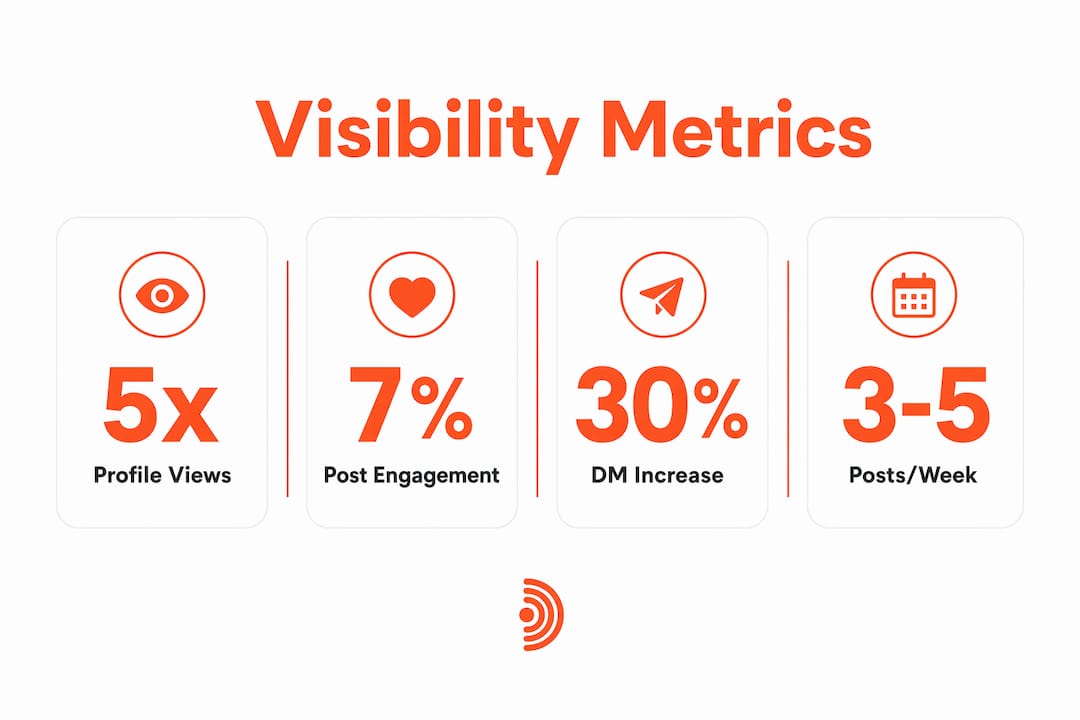
What to expect short-term: Creators who post 3–5 times per week see 3–5x more profile views than those who post once a week or less. Add consistent commenting and you'll typically see inbound connection requests and DMs within 2–4 weeks.
Table of Contents
- What can you do this week to improve your LinkedIn visibility?
- Why commenting often gets you more profile views than posting alone
- How to write comments that get seen, saved, and prompt DMs
- How AI-powered commenting helps — and the guardrails you must set
- When to comment and how often for maximum reach
- Which KPIs actually tell you if your strategy is working?
- Risks, LinkedIn rules, and how to stay compliant while automating
- How to go from manual commenting to measured automation in 7 steps
- How to use LinkedIn hashtags and keywords effectively
- How to grow and nurture your LinkedIn network strategically
- What content types increase your visibility beyond commenting
- Key Takeaways
- The commenting-first approach is more contrarian than it sounds
- Echoza puts the guardrails from this guide into practice
- Useful sources and further reading
What can you do this week to improve your LinkedIn visibility?
- Rewrite your headline using the [Role] + [Who You Help] + [Outcome] + [Keyword] formula.
- Update your profile photo — profiles with a professional photo receive significantly more views than those without one.
- Define your 2–3 topic pillars and write them down before you post anything.
- Find 10 high-visibility posts in your niche using LinkedIn search and hashtags.
- Schedule your first comment session for a midweek morning or Friday midday.
- Publish one post this week, formatted as a document or carousel for maximum dwell time.
- Enable Creator Mode or pin your best content to the Featured section.
- Set up a lead magnet (a PDF, checklist, or resource) and mention it in your comments when relevant.
Pro Tip: Don't comment "Great post!" on anything. LinkedIn's algorithm weights substantive, multi-sentence comments far more heavily than one-liners, and readers notice the difference immediately.

Why commenting often gets you more profile views than posting alone
Here's the mechanic most people miss: when you leave a comment, your name and headline appear in front of the original post's entire audience, not just your own followers. That's borrowed reach, and it costs you nothing but a few minutes.
Commenting within the first 60 minutes and leaving substantive, contextual replies exposes you to the post's full audience. A like does almost none of that. Comments are weighted significantly more than likes in LinkedIn's current algorithm, because a thoughtful reply signals genuine professional dialogue in a way a reaction simply can't.
Timing sharpens this effect. Peak engagement lands on Friday between 12:00–13:00 UTC, with strong midweek morning performance Tuesday through Thursday. Comment during those windows and your reply rides the post's momentum instead of getting buried hours later.
How to write comments that get seen, saved, and prompt DMs
A high-performing comment does three things: it hooks with a specific observation, adds one insight or example the original post didn't cover, and ends with a question or a soft CTA.
Three templates to adapt:
- Insight comment: "This matches what I saw with [specific situation]. The part about [X] is underrated — most people skip it and then wonder why [Y] doesn't work. What's your take on [follow-up angle]?"
- Question comment: "Interesting framing. I've been thinking about [related angle] differently — curious whether you've tested [specific variation] and what happened."
- Social proof comment: "We ran into this exact problem. The fix that worked was [brief, specific answer]. Happy to share the full breakdown if useful."
Dos and don'ts:
- Keep comments at 15+ words. Short reactions get ignored by the algorithm and by readers.
- Stay on your 2–3 topic pillars. Every comment is a signal to the algorithm about what you stand for.
- Never open with self-promotion or drop your link in the comment body. External links in post bodies reduce organic distribution; the same logic applies to comments.
- Avoid emoji-only replies. They register as noise.
Pro Tip: For real comment inspiration, study good LinkedIn comment examples before you write your own. Seeing what actually works is faster than theorizing about it.
How AI-powered commenting helps — and the guardrails you must set
AI speeds up the commenting process dramatically, but only if you run it with the right controls. Without them, you get generic spam that damages your reputation faster than silence would.
The governance model that works: voice profile training (so comments sound like you, not a bot), mandatory human review before anything posts, daily activity caps to avoid behavior spikes, and scheduled distribution across working hours rather than bursts. Authentic comments that reflect real expertise are what build trust; automation's job is to surface the right posts and draft the first version, not to replace your judgment.
The algorithm favors dwell time and sustained engagement from close network connections. Generic mass commenting actively works against that signal. A smaller number of high-quality, approved comments outperforms a flood of identical ones every time.
When to comment and how often for maximum reach
Steady cadence beats volume spikes. A weekly rhythm of 2 posts plus 5 meaningful comments consistently outperforms bursts of activity followed by silence.
| Engagement window | Why it works | Recommended action |
|---|---|---|
| Tuesday–Thursday mornings | Peak B2B audience activity | Post + comment on fresh content |
| Friday 12:00–13:00 UTC | Highest single-hour engagement window | Comment on trending posts in your niche |
| Monday morning | Lower competition, early-week visibility | Warm up with 2–3 comments |
Sample cadence:
- Manual starter (20–30 min/day): 3 comments in the morning window, 1 post mid-week, reply to every comment you receive within the first hour.
- Scaled automation plan: Approve 10–20 AI-drafted comments per day, distributed across working hours, with daily caps enforced.
Native document posts lead engagement at a 7% engagement rate on LinkedIn, compared to the platform average of 5.2%. If you're going to post, make it a carousel or document first.
Which KPIs actually tell you if your strategy is working?
Track profile views, search appearances, inbound DMs from your ideal client profile, comment reach, and lead magnet conversions. Those five tell you whether visibility is translating into pipeline.
| Metric | What it proves | How to measure it |
|---|---|---|
| Profile views | Overall visibility trend | LinkedIn Analytics → Profile views |
| Search appearances | Keyword and headline effectiveness | LinkedIn Analytics → Search appearances |
| Inbound DMs/connections | Audience quality and ICP fit | Manual log or CRM tag |
| Comment-originated clicks | Commenting ROI | Compare weeks with/without comment activity |
| Lead magnet conversions | Bottom-of-funnel impact | Landing page analytics |
Use LinkedIn metrics that drive growth as your baseline. Isolate variables: run two weeks of active commenting, then two weeks without, and compare profile view trends. The delta is your commenting ROI.
Risks, LinkedIn rules, and how to stay compliant while automating
Automation increases efficiency but requires strict limits. The two biggest risk vectors: repetitive comment copy that triggers spam filters, and behavior spikes that look like bot activity to LinkedIn's detection systems.
Practical compliance rules: vary comment phrasing across every post, never post the same sentence twice, keep daily comment volume within normal human ranges, and always use scheduled distribution rather than posting everything at once. For links, place them in the first comment, not the post body. LinkedIn's algorithm explicitly penalizes outbound links in main post bodies.
Knowing how to automate LinkedIn comments without getting banned comes down to one principle: never let automation remove the human review step.
How to go from manual commenting to measured automation in 7 steps
Start manual for two weeks, then pilot AI with tight caps and daily review before scaling.
- Profile audit (Day 1–2): Rewrite headline, update photo, complete all sections to All-Star status.
- Define 2–3 pillars (Day 3): Write them down. Every post and comment you make should map to one of them.
- Manual commenting sprint (Week 1–2): 20–30 minutes daily, 3–5 substantive comments per session. No automation yet.
- Set your voice profile (Week 2): Feed your best past comments and posts into your AI tool to train your voice.
- Pilot automation (Week 3–4): Approve 10–20 AI-drafted comments per day. Review every single one before it posts.
- Measure 30 days: Track the five KPIs above. Compare to your manual baseline.
- Scale gradually: Increase daily caps only when quality holds and metrics trend up.
How to use LinkedIn hashtags and keywords effectively
LinkedIn indexes the first three hashtags on any post. Using more than three doesn't help. The right structure: one broad hashtag in your space (#B2BSales, #ContentMarketing), one mid-tier hashtag (#SaaSFounders, #RevenueLeaders), and one niche hashtag where you can realistically rank among the top posts.
For keywords, your headline and About section carry the most search weight. Use the most searched LinkedIn keywords for your role and embed them naturally in both sections. The About section should read like a landing page, not a resume summary: first person, reader-focused, with keywords woven into sentences rather than listed in a block.
How to grow and nurture your LinkedIn network strategically
A targeted network of 1,000 engaged professionals outperforms 20,000 silent connections. Quality of engagement per connection matters more than raw count.
Send personalized connection requests with a one-sentence context note. Blank requests read as spam. Identify 10–15 industry leaders who share your audience, turn on post notifications for their profiles, and be among the first to comment when they publish. That's secondary visibility: your name and headline appear in front of their audience every time your comment surfaces.
Audit your existing connections periodically. Prioritize accepting new connections from people who visibly engage on the platform — people who comment, share, and react consistently. An active network improves your early-engagement window performance every time you post.
What content types increase your visibility beyond commenting
Document posts (PDFs uploaded natively) consistently outperform other formats. They create dwell time through slide-by-slide consumption, and each swipe registers as a separate engagement signal. Keep carousels to 6–9 slides; reach drops roughly 40% once you cross ten slides.
LinkedIn Newsletters deserve more attention than most professionals give them. A newsletter edition triggers a push notification and an email to every subscriber, bypassing the feed algorithm entirely. That's three distribution channels from one piece of content: feed, inbox, and SEO.
Short-form video (60–90 seconds, vertical format, hardcoded captions) reaches a broader audience than text posts with similar content. LinkedIn is actively pushing video in 2026, and the format builds a personal connection that carousels can't replicate. Text-only posts are the hardest format to make work; they require an exceptionally strong opening line to earn any scroll-stopping attention at all.
Key Takeaways
Commenting strategically on high-reach posts in your 2–3 topic pillars, timed to peak engagement windows, is the single most efficient way to increase LinkedIn visibility without creating content from scratch every day.
| Point | Details |
|---|---|
| Comment first, post second | Substantive comments expose your headline to the original post's full audience at zero content cost. |
| Lock in 2–3 topic pillars | A tight topic fingerprint helps the algorithm deliver your content to people who actually engage with it. |
| Time your activity | Midweek mornings and Friday 12:00–13:00 UTC are peak engagement windows; comment during them. |
| Automate with human review | AI drafts and ranks posts; you approve every comment before it goes live to avoid spam signals. |
| Echoza for responsible scale | Echoza trains on your voice, enforces daily caps, and requires approval before posting — the guardrails this guide recommends. |
The commenting-first approach is more contrarian than it sounds
Most LinkedIn advice still centers on posting frequency. Post more, post better, post consistently. That's not wrong, but it's incomplete in a way that costs people real visibility.
The professionals I see gaining traction fastest in 2026 aren't the ones publishing daily. They're the ones showing up in the comments of posts their ideal clients are already reading. That's a fundamentally different distribution model: instead of building your own audience from scratch, you're borrowing someone else's for 30 seconds at a time, repeatedly, until your name becomes familiar.
The AI angle matters here too. The objection I hear most is that automated comments will sound fake. That's true of bad automation. Good automation, with voice training and mandatory human review, produces comments that are indistinguishable from what you'd write yourself — except you didn't spend 45 minutes finding the right posts and drafting the replies. The tool handles the grunt work; your judgment handles the quality gate. That's not cutting corners. That's leverage.
Echoza puts the guardrails from this guide into practice
Most professionals know they should comment more on LinkedIn. The gap is time and consistency. Echoza closes that gap without sacrificing the quality controls that keep your account safe.
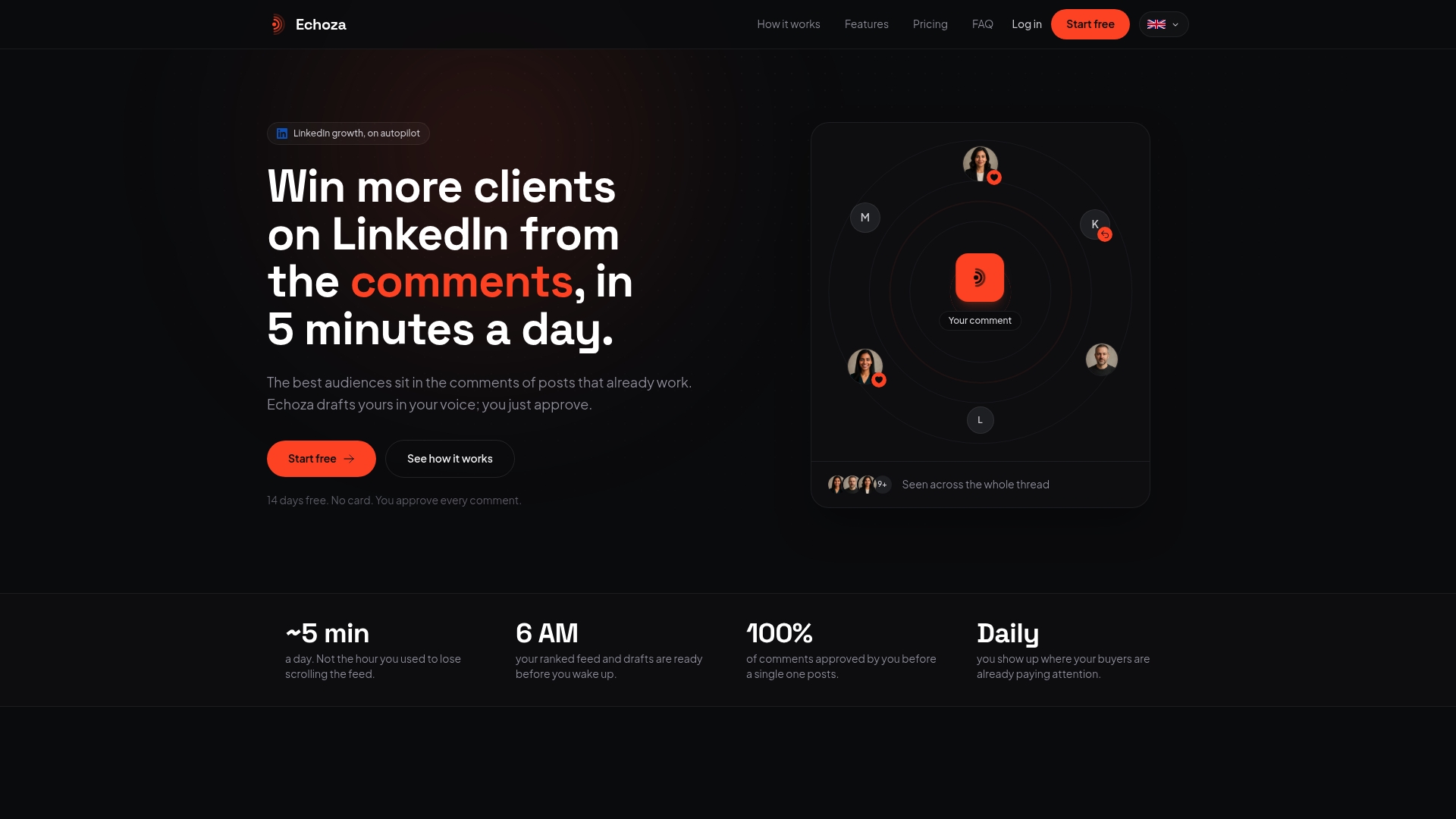
Echoza ranks your feed to surface high-reach posts in your niche, drafts comments in your voice based on your past activity and style, and holds every comment for your approval before it goes live. Daily activity caps and scheduled distribution across working hours are built in, not optional. You get the scale of automation with the quality control of a manual process.
Users report measurable increases in profile views and inbound client outreach after running Echoza's commenting workflow consistently. The browser extension supports multiple LinkedIn accounts and voice profiles, which makes it practical for agencies managing several clients at once.
Start your free trial at Echoza and run the 30-day measurement plan from this guide to see exactly what consistent, responsible commenting does for your visibility.
Useful sources and further reading
- How the LinkedIn Algorithm Works in 2026 — Taplio's complete reach guide covering dwell time, comment weighting, and peak engagement windows.
- LinkedIn Post Visibility in 2026 — Practical breakdown of why posts die and how format, timing, and network quality affect distribution.
- LinkedIn's Algorithm in 2026: What Works to Drive Reach — Leoni Consulting Group's analysis of the interest graph, topic fingerprints, and engagement benchmarks.
- 5 LinkedIn Content Moves LinkedIn Started Punishing in 2026 — Forbes Agency Council on external link penalties and compliance.
- How to Increase LinkedIn Profile Views in 2026 — Echoza's guide to profile view tactics that complement the commenting-first approach.
- Good LinkedIn Comments: 15 Examples That Actually Work — Reusable templates for the manual practice phase.
- How to Automate LinkedIn Comments Without Getting Banned — Echoza's safety checklist for the automation pilot.
- LinkedIn Engagement Rate: 2026 Benchmarks — Benchmarks to compare your results against during the 30-day measurement window.